Runtime Content survey objects are used to encapsulate calls to objects which implement the Runtime-Content hook type. These objects are created and placed within a survey in the same manner that Questions, Collection, and Text/HTML objects are added.
To create a Runtime Content object, open the DatStat Illume Survey Designer and select the "Add Runtime Content" menu item from the "Survey" menu (Figure 1). You will be presented with the Runtime Content editor as shown in Figure 2.
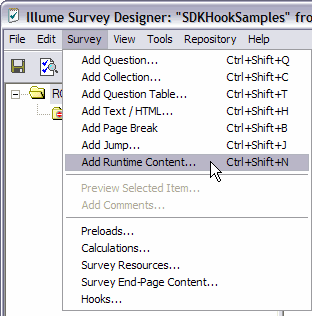
Figure 1
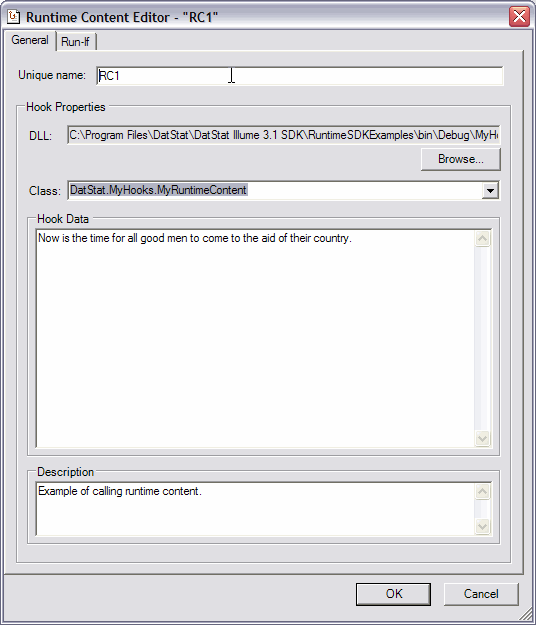
Figure 2
The Runtime Content editor contains two tabs. The first tab allows you to specify the DLL and the class which implements the interface for the "Runtime-Content" hook type in the same manner as in the previous section "Declaring Survey Hooks". The only difference is that the type of hook is always assumed to be "Runtime-Content" which is appropriate for the Runtime Content survey object.
The other tab, labeled "Run-If" allows the survey designer to dictate the conditions under which the hook is to be run. This is exactly akin to the "Show-If" capabilities of other survey objects.
Next: Putting it all Together