The DatStat Illume SDK includes a WebService SDK Examples solution that demonstrates how the WebService SDK can be used. The sample solution is located at "C:\Program Files\DatStat\DatStat Illume 4.5 SDK\WebServiceSDKExamples\WebServiceSDKExamples.sln". You can open this solution by double clicking on this file or from the shortcut located in Start -> All Programs -> DatStat Illume -> DatStat Illume 4.5 SDK -> WebService SDK Examples.
The WebService SDK Examples solution contains seven projects. The ConsoleUtilities project is used by the other console applications and is not an example of how to use the WebService SDK. There are six console (command line) projects and one windows application demonstrating some features of the WebService SDK.
Before any of these applications can be run, the solution must be built.
The following table gives a brief description for each of these projects.
| Project | Description |
|---|---|
| DownloadResults | A console application that can be used to download the full result set from a specified survey. |
| ExecuteQuery | A WinForms application that can be used to query raw and summary data from surveys using an SDK_Query. |
| Participant | A console application that can create, update, and delete participants from the Illume system. |
| ParticipantList | A console application that can create or update a participant list in the Illume system. |
| RunQuery | A console application that can run a query that exists in the Illume system and output the results to a file. |
| Survey | A console application that can start or stop an existing survey. |
| SurveyInfo | A simple windows application that can show information for an existing survey. |
All console applications can be called with the /? switch to get a description of how to use the application. Figure 1 shows the output from the DownloadResults application called with this switch.
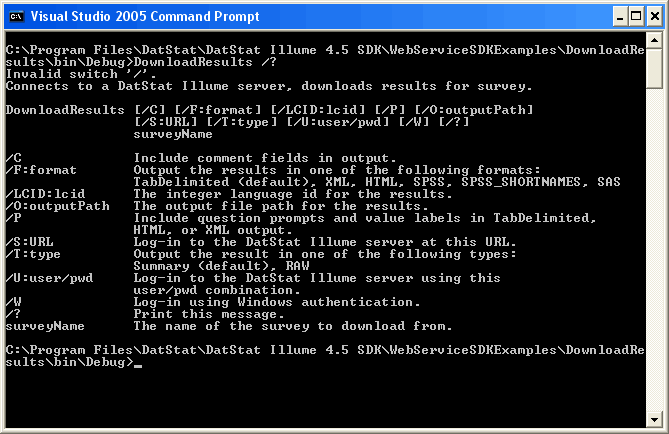
Figure 1